Chrome extension · for YouTube
You've been singing it phonetically for years.
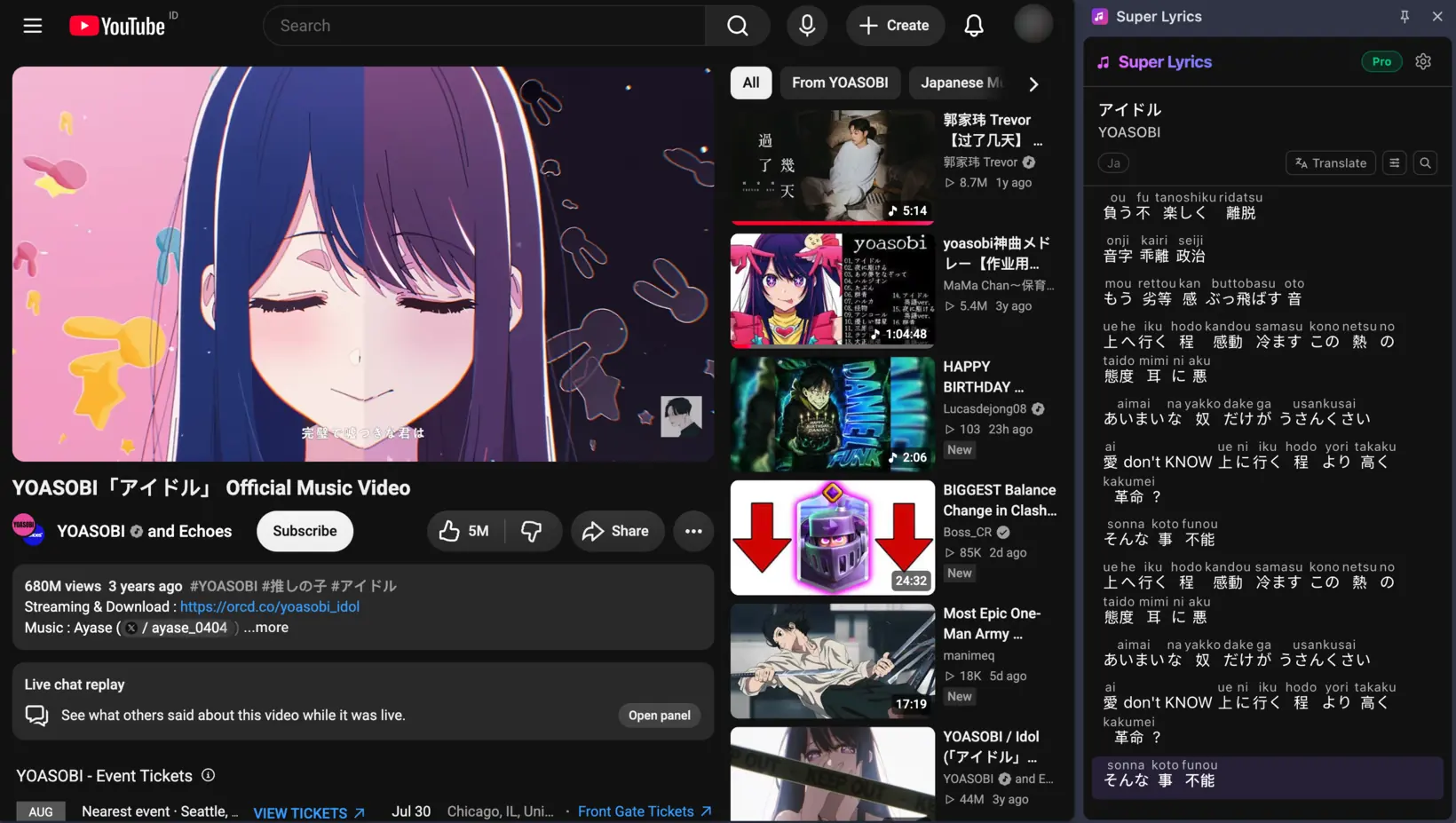
Super Lyrics puts time-synced lyrics on the YouTube page — romanized so you can pronounce them, translated so you know what they mean.
- sakura sakuraさくら さくらCherry blossoms, cherry blossoms
- yayoi no sora waやよいの空はThe sky of early spring
- mi-watasu kagiri見わたす限りas far as the eye can see
- kasumi ka kumo kaかすみか雲かIs it mist? Is it cloud?
- nioi zo izuru匂いぞ出ずるA fragrance drifting through
- izaya izayaいざや いざやCome now, come now —
- mi ni yukan見にゆかんlet us go and see
Anatomy of a line
Every line, three ways at once.
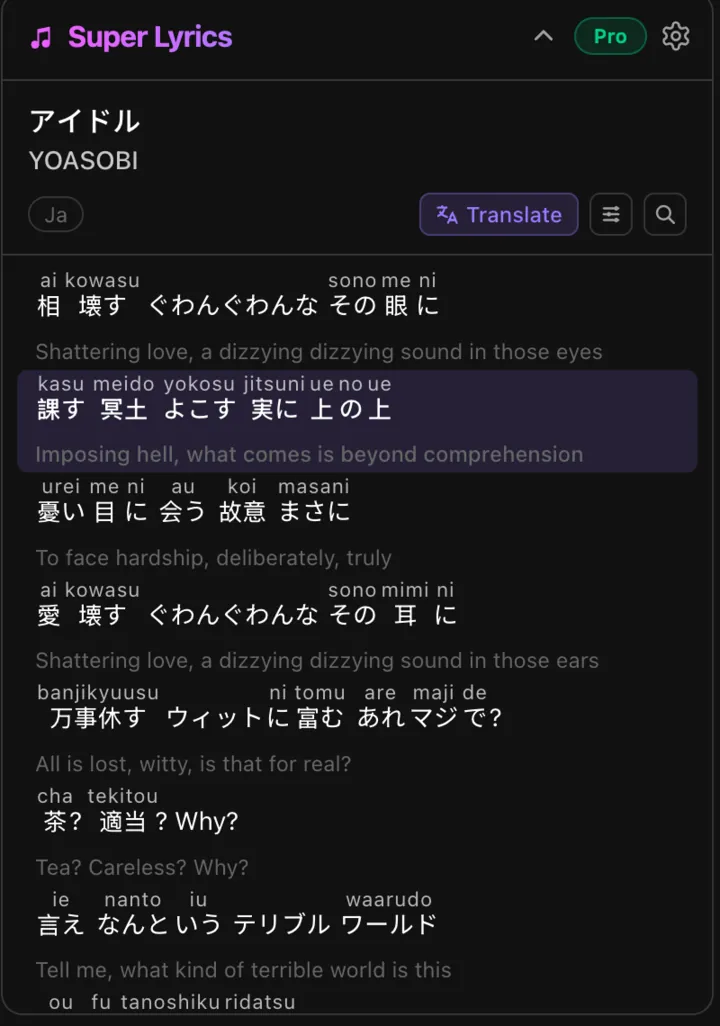
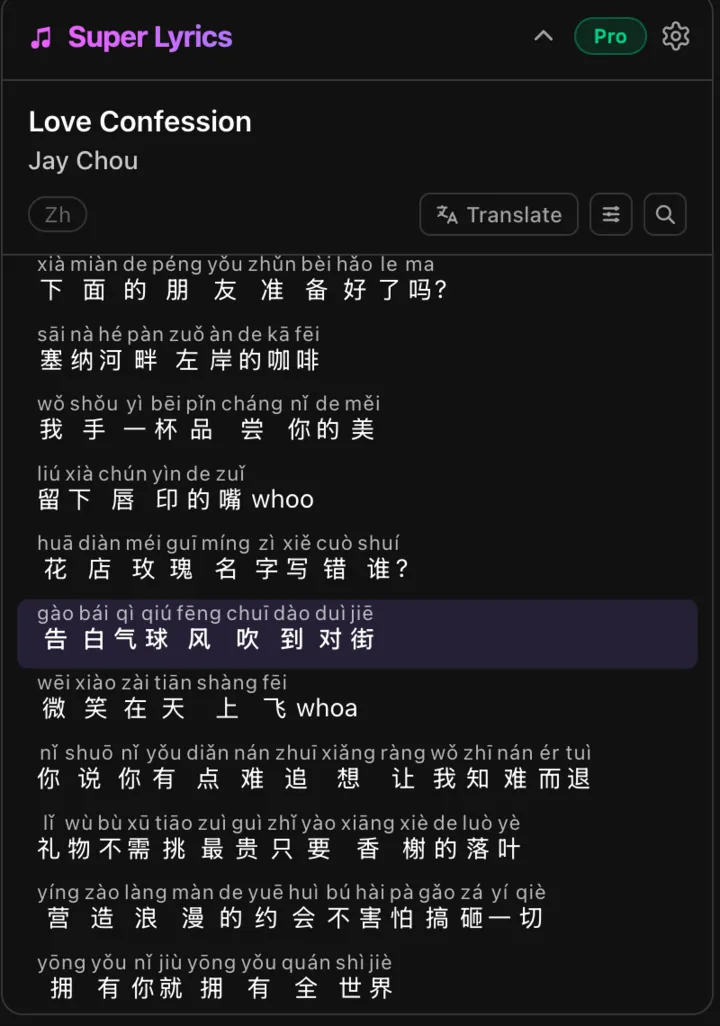
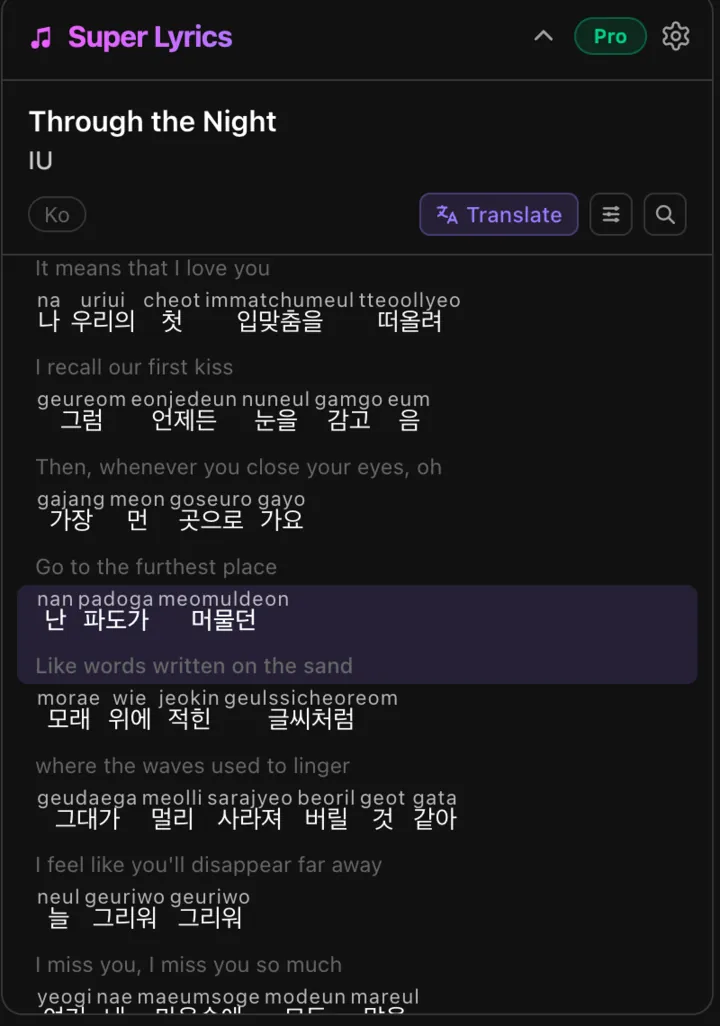
Most lyric tools hand you the original text and stop, which is fine if you can already read it. Super Lyrics stacks the sounds, the words, and the meaning together, so you can follow all three without looking away from the video.
Romanization always shows. Translation is one tap away, per song, so the panel stays readable when you don't need it.
Three scripts
Japanese, Chinese, Korean.
Romaji, pinyin with tone marks, and romanized hangul — aligned word by word against the original, not dumped underneath it. Read it as it goes past, at the speed the song is going.
Two layouts
Beside the video, or docked.
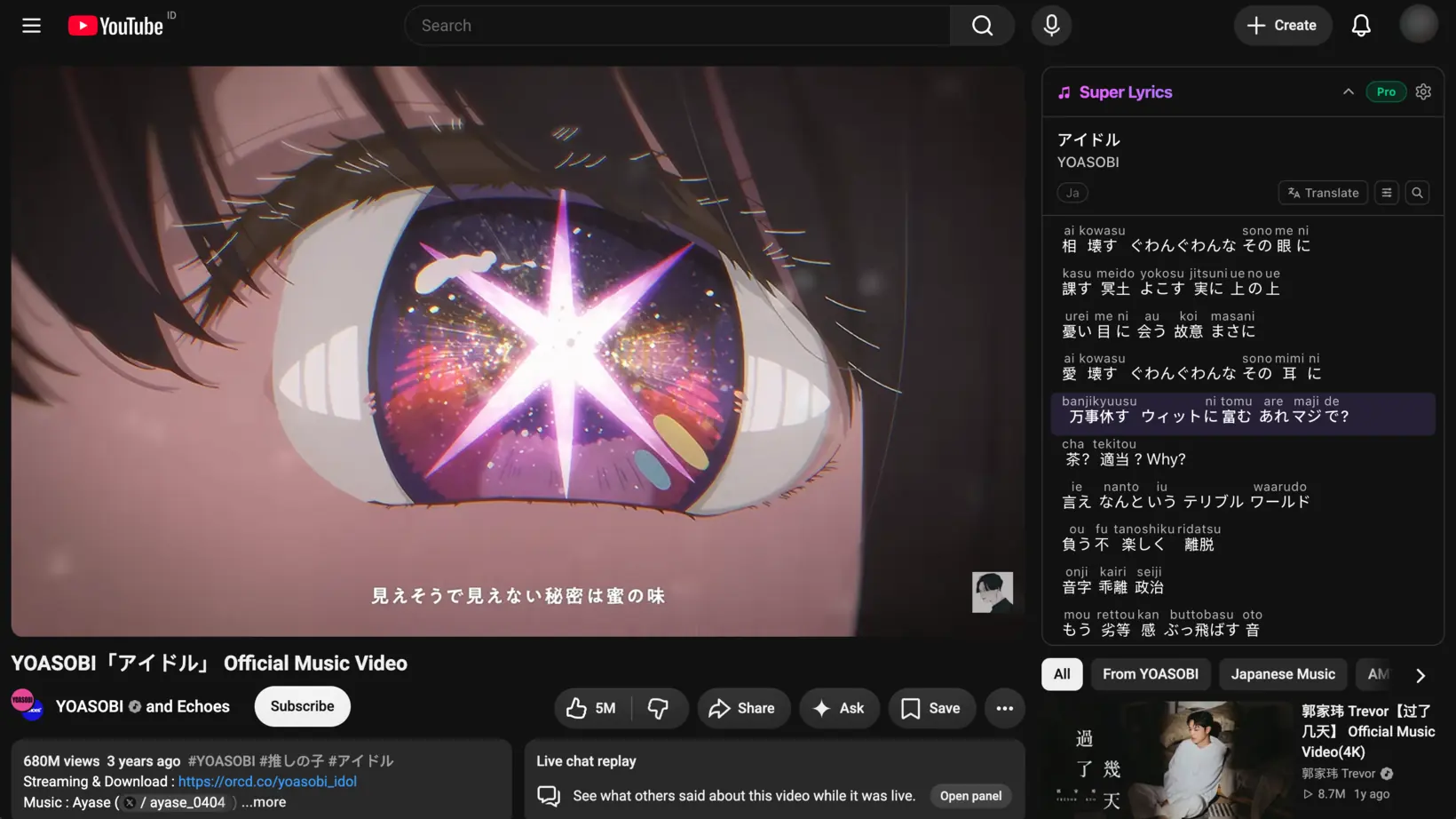
The panel sits next to the video instead of covering it. If you'd rather keep it out of the page entirely, move it to Chrome's side panel.
How it works
Three steps, once.
Install
Add Super Lyrics to Chrome. Nothing to configure.
Sign in
One tap with Google. That's how your songs and subscription follow you.
Play
Open a music video and the panel identifies the song and fills itself in.
Free and paid
Your first 3 songs are free. After that, a subscription — weekly, monthly, or yearly — unlocks unlimited songs. Payments go through Polar, so we never see your card details, and you can cancel any time from the billing portal inside the extension.
Why we ask you to sign in
Signing in tells us which account a request belongs to, so we can count your free songs and unlock the paid ones. We request your basic profile and email address only — nothing else, and no access to any other Google service.